
SETTING DECIMAL OUTPUT TO 6 PLACES FOR JD 2600/2630
SMART ANTENNAS
(A631, A222, A325, A101, A320, and A220)
- Parts required:
-
- Computer with PocketMax4 (Click here to download PocketMax4)
- GoldX Cable (USB to 9-pin serial). For help selecting the correct cable: GoldX USB to Serial Cables
- One of the following options:
- The antenna will need to be powered on and the GoldX cable connected to the serial connector and computer USB port.
- Open PocketMax4
- Connection Type: Serial
- Port: Select the COM# based off where the GoldX cable is plugged into
- Baud Rate: 115200
- Mode: Auto-Baud
- Select ‘Connect’
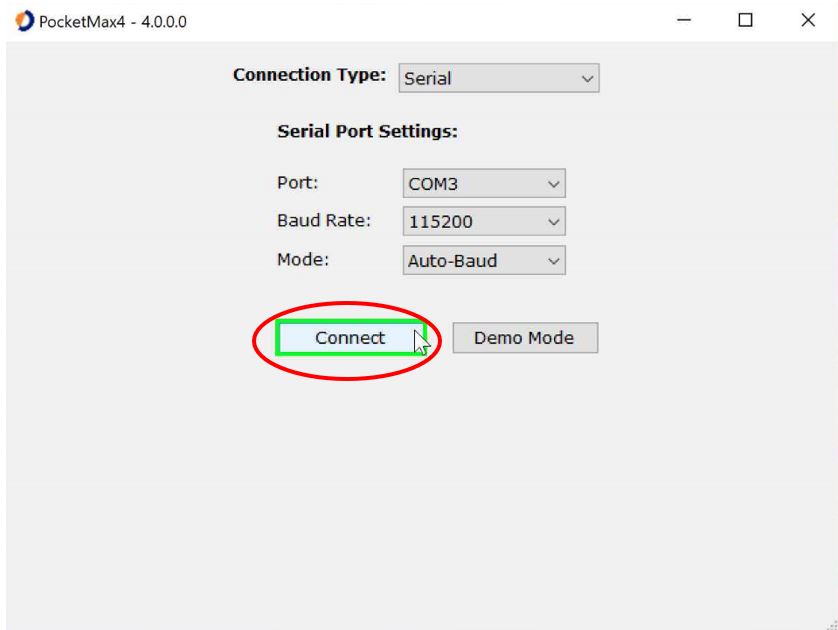
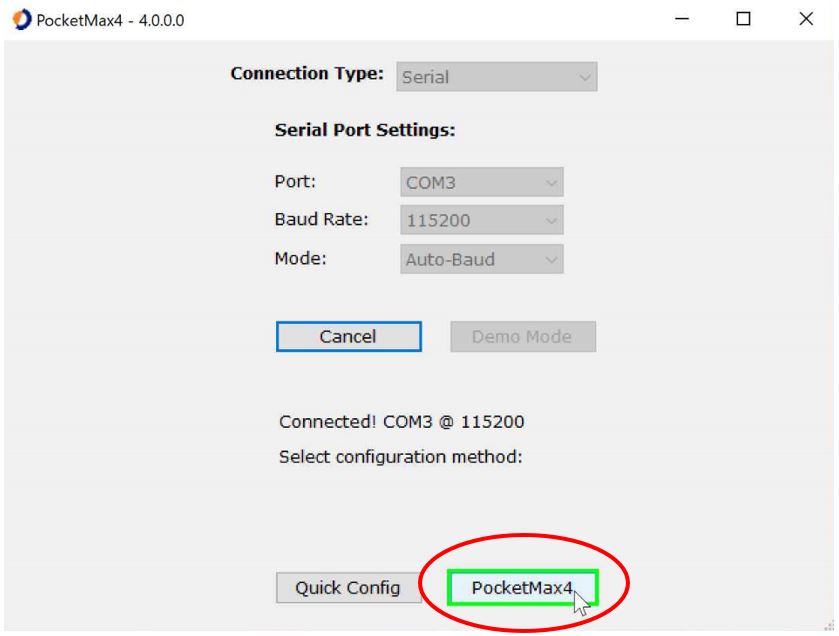
- After selecting ‘Connect’, it will search Baud Rates until it finds the correct one. Once connected, select ‘PocketMax4’.
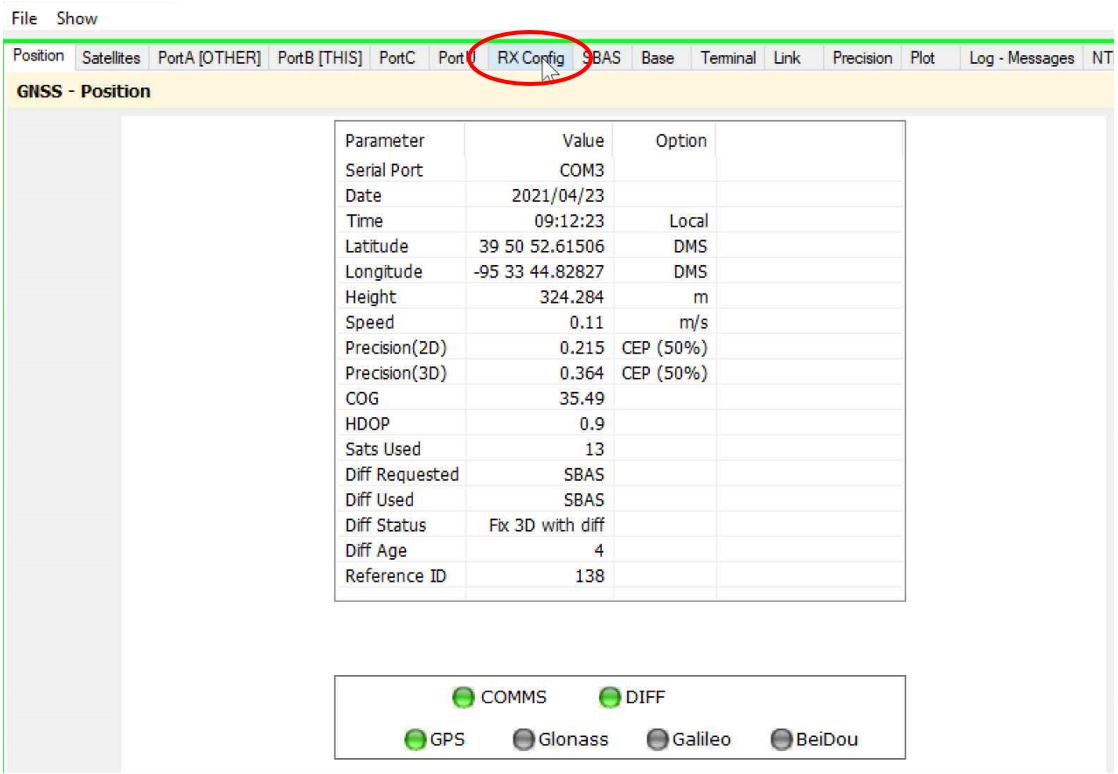
- When PocketMax4 opens, select the ‘RX Config’ tab along the top.
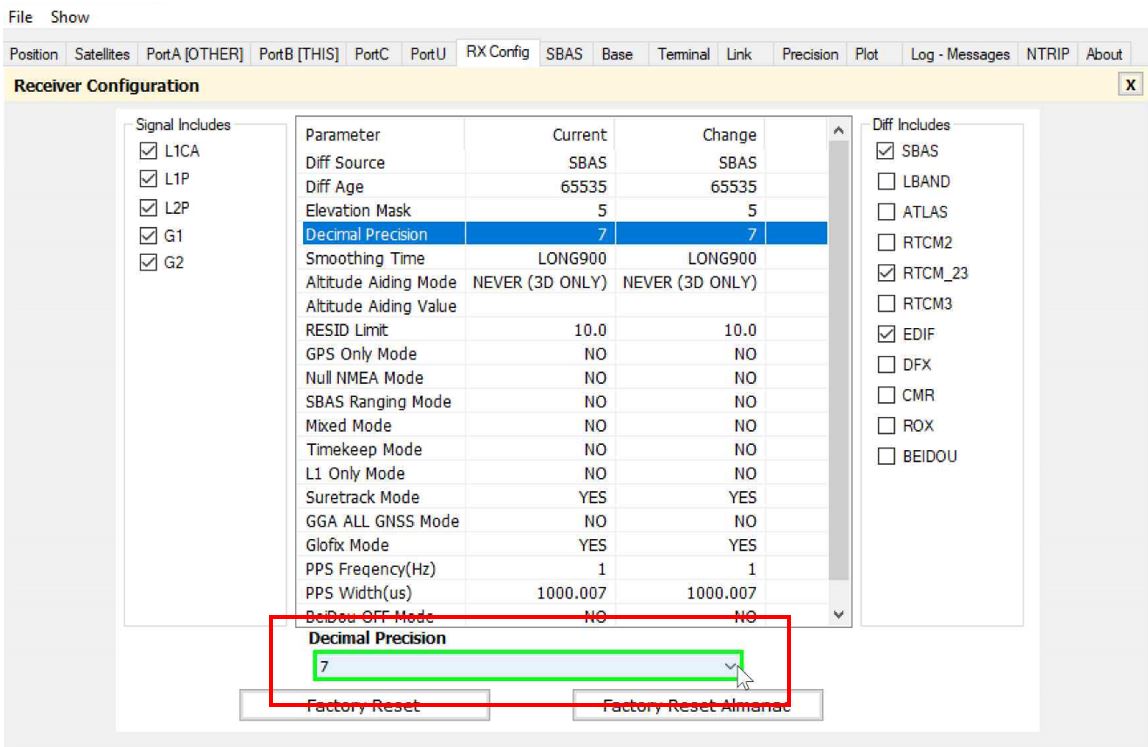
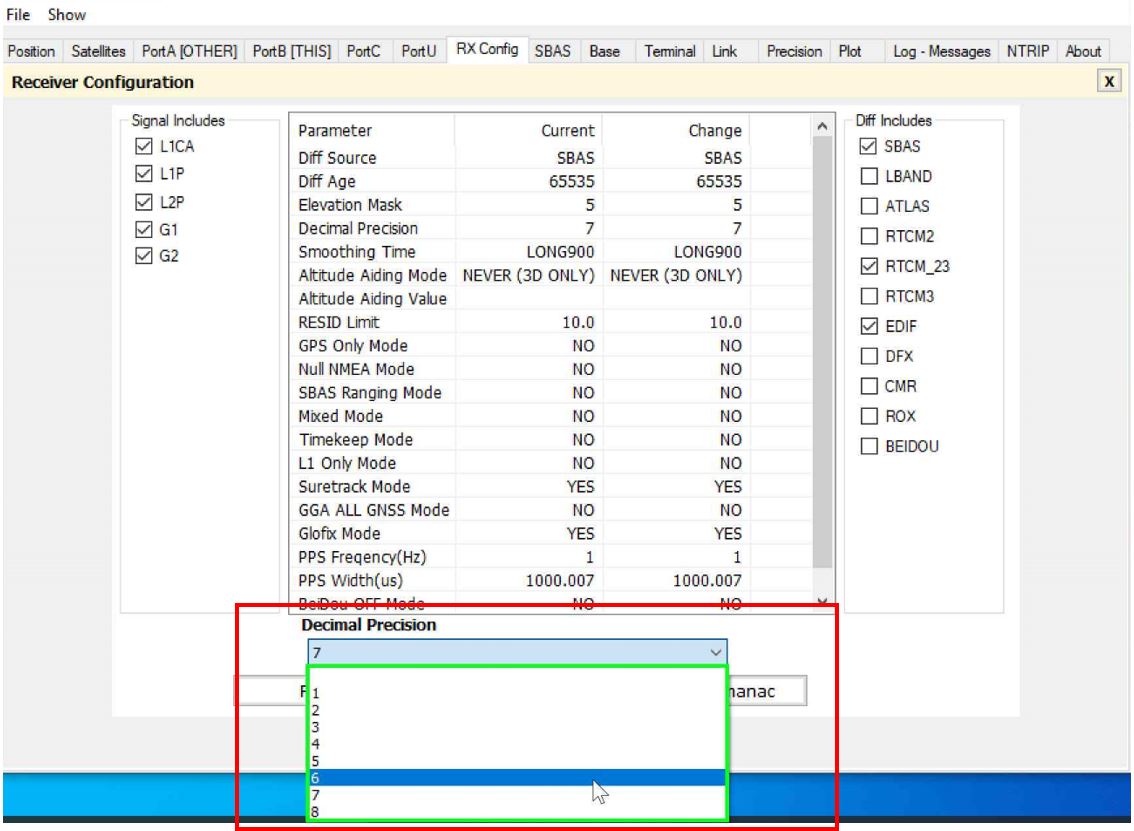
- Once on the ‘RX Config’ tab, select the ‘Decimal Precision’ (Figure 7a) line and change to ‘6’ on the dropdown on the bottom of the screen (Figures 7b and 7c).
-
- Figure 7a
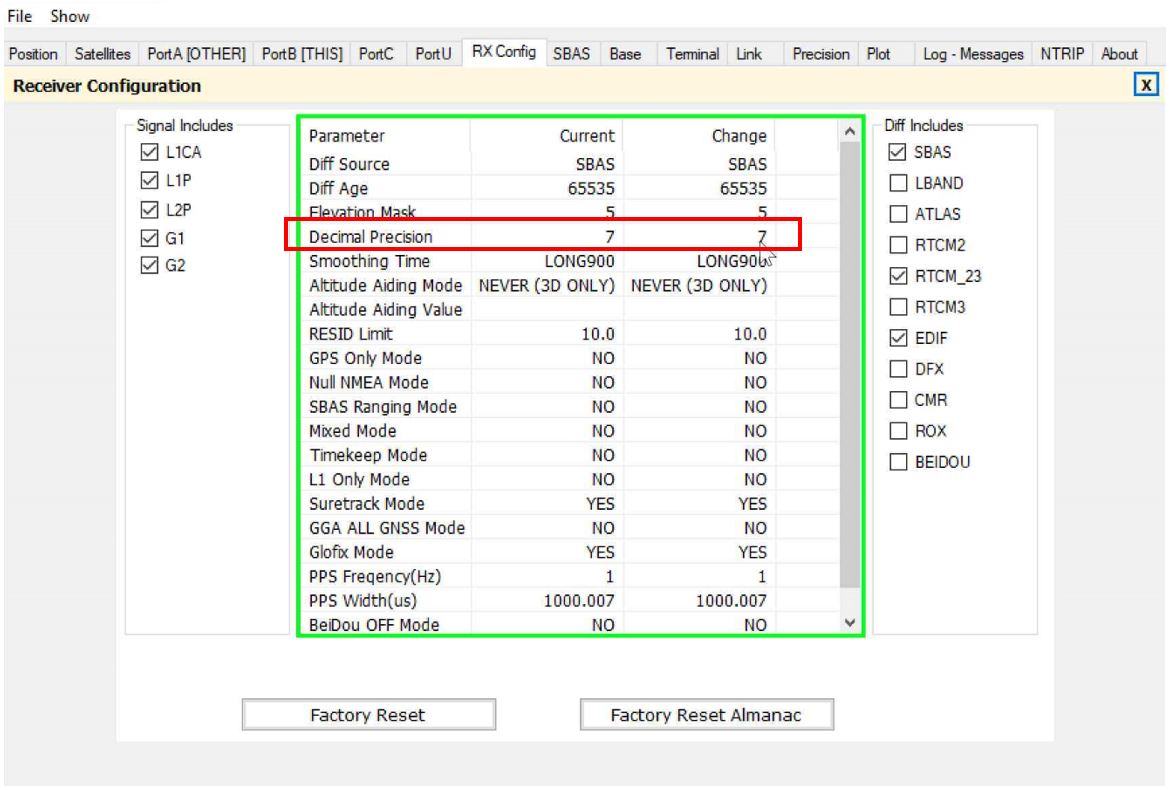
- Figure 7b
- Figure 7c
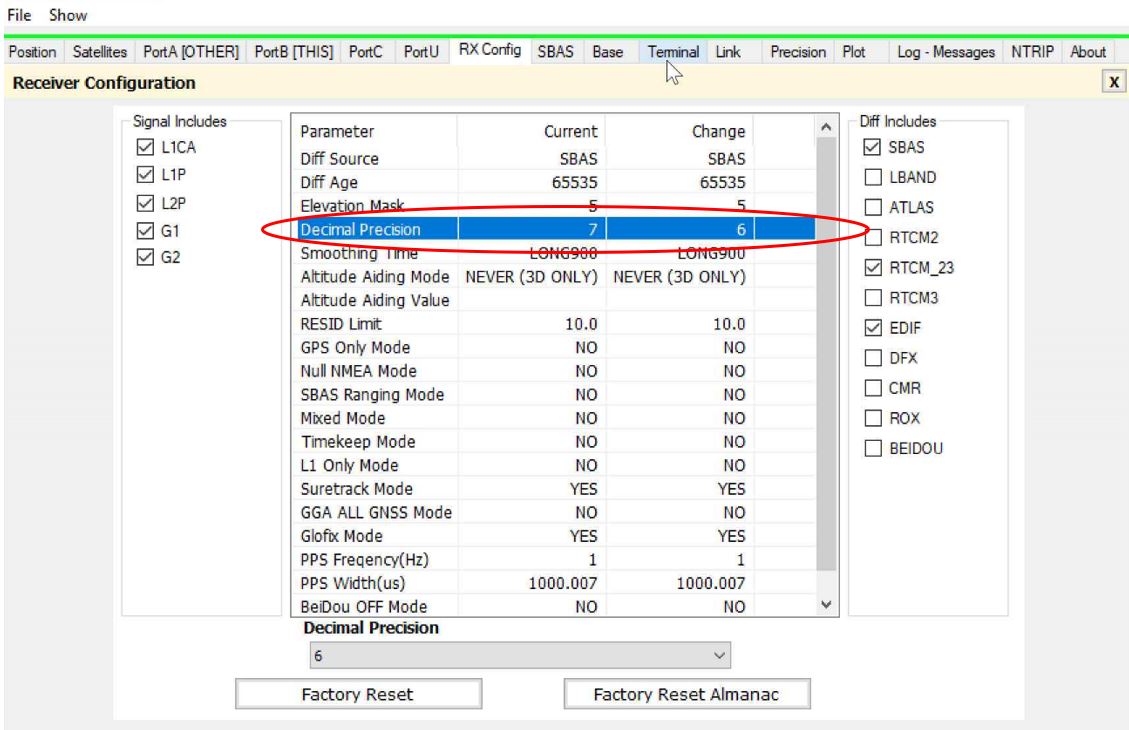
- Figure 7a
- After selecting the ‘6’ from the dropdown the ‘Change’ column on ‘Decimal Precision’ will show ‘6’.
- Select the ‘Terminal’ tab.
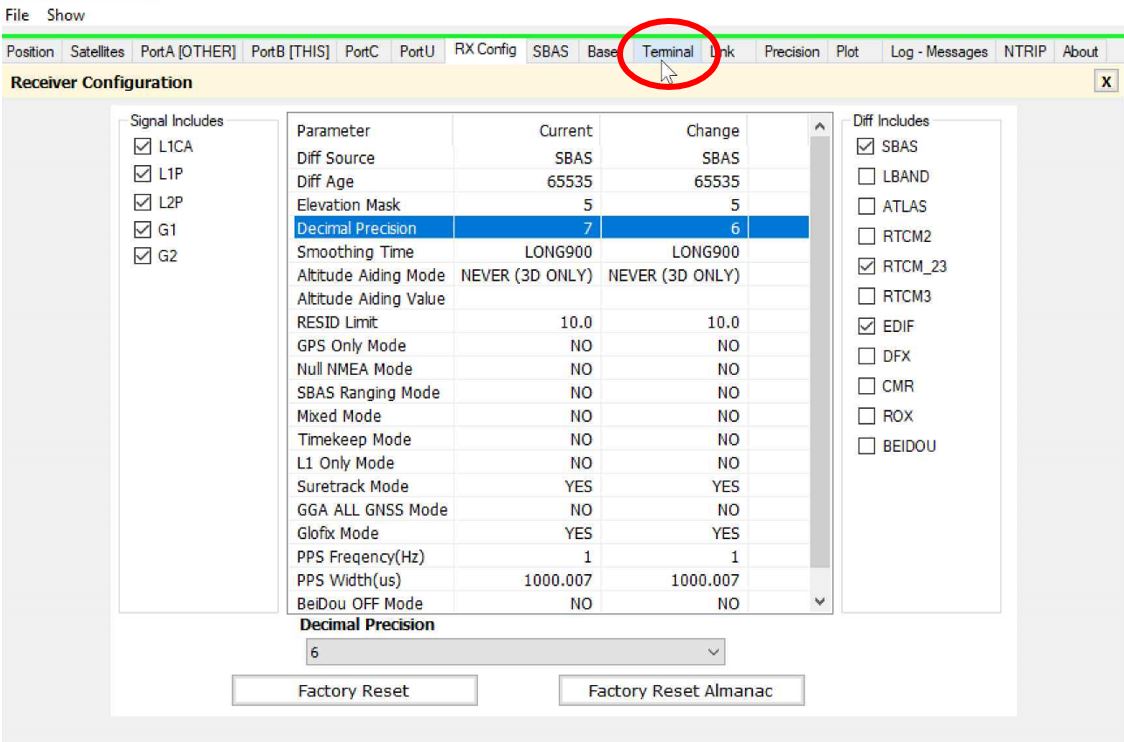
- When the ‘Terminal’ tab is selected, copy and paste this command into the dropdown box on the PocketMax4 screen: $JNP,6
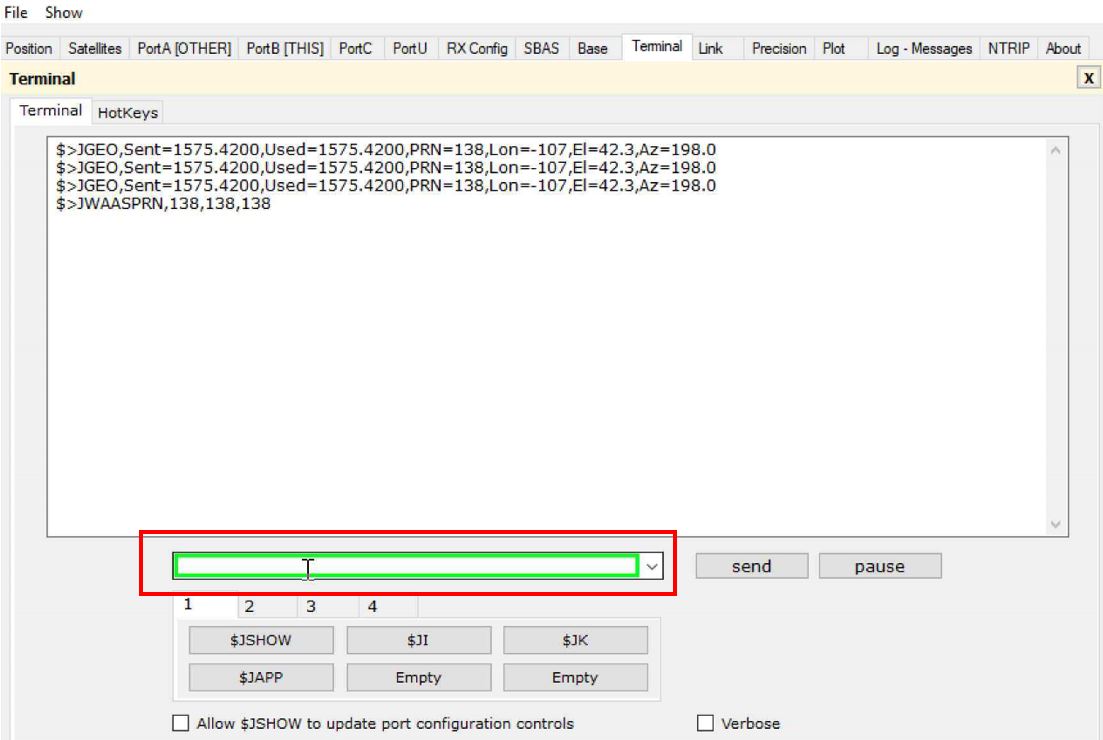
- With the $J command pasted to the box, select ‘send’.

- After selecting ‘send’ it will clear the dropdown box and will display $> if command is successful.
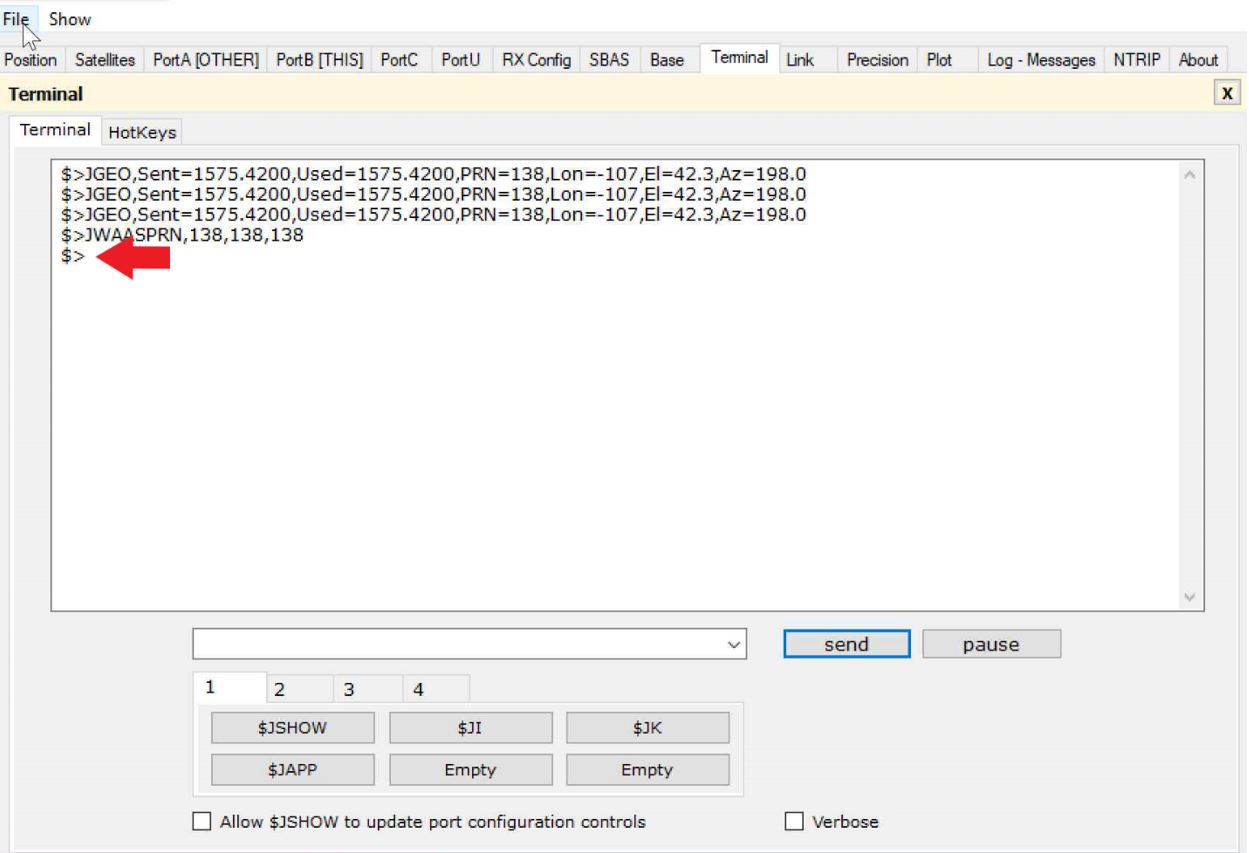
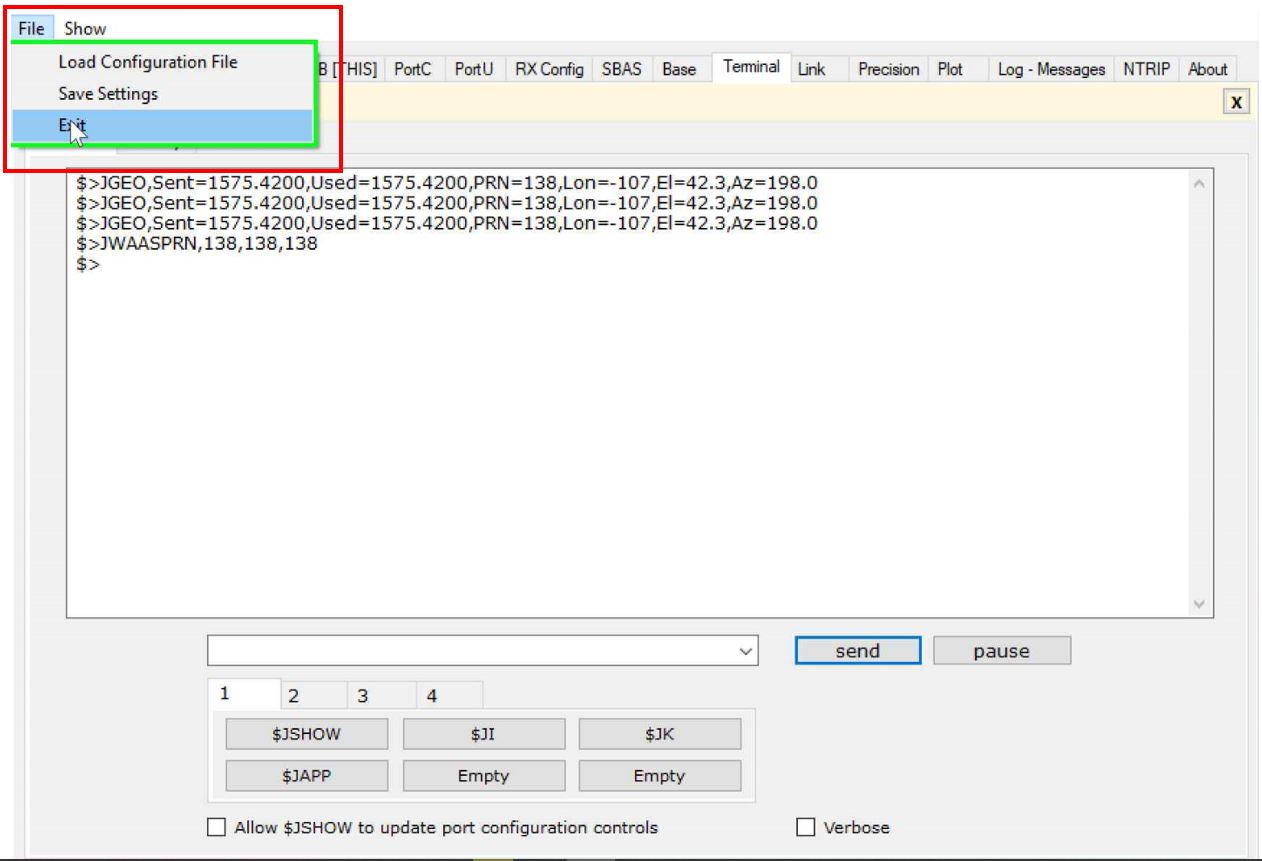
- Select ‘File’ and then select ‘Exit’.
- Select ‘Save Settings + Disconnect’.
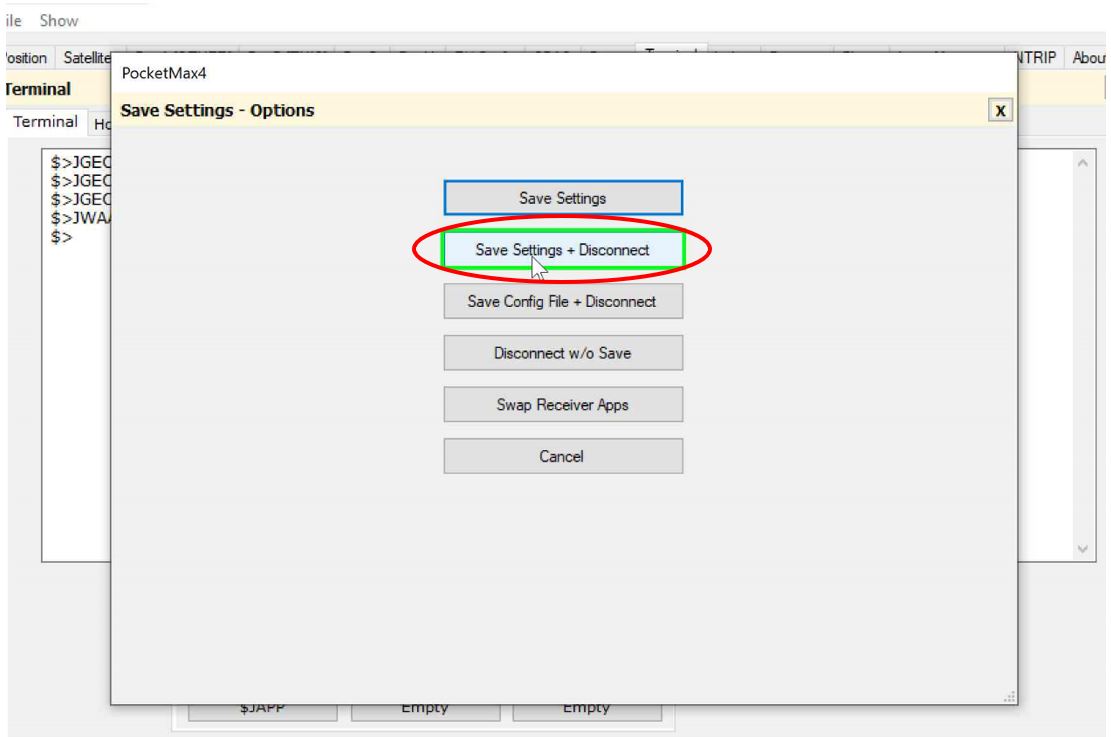
- Once PocketMax4 is done saving and disconnecting, close PocketMax4.
DO NOT RECONNECT TO POCKETMAX4! THIS WILL RESET THE DECIMAL PLACES TO 7.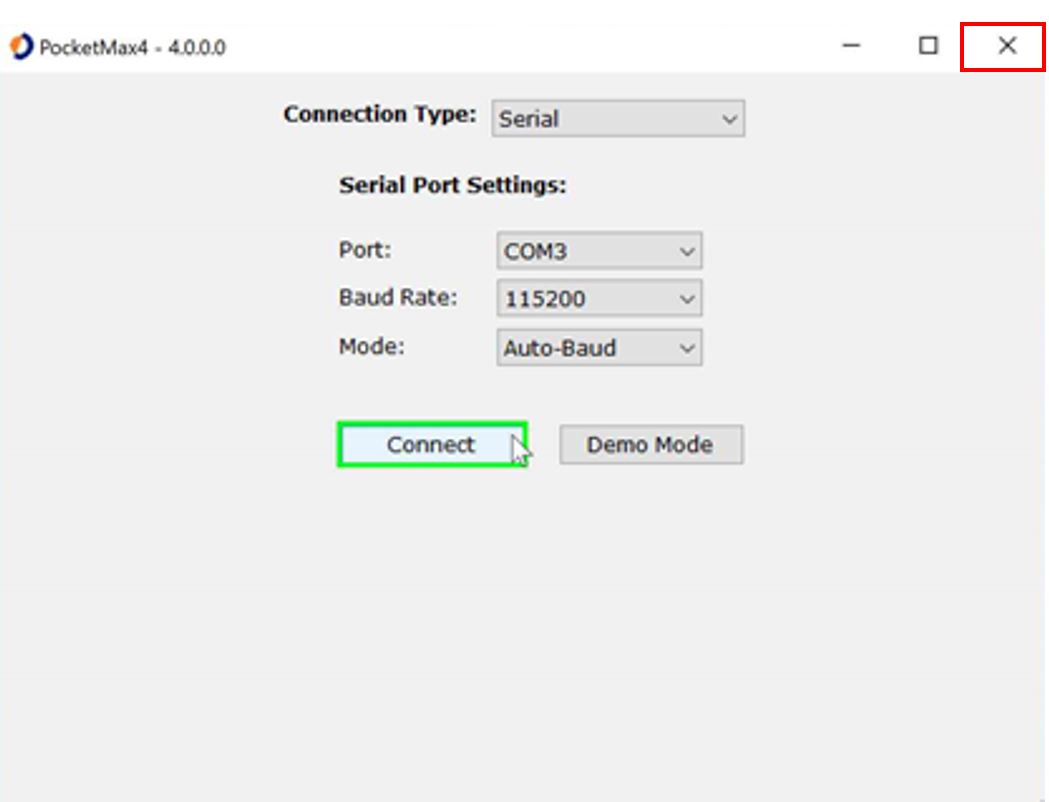
- The antenna is now exporting the decimals at 6 places.