Starting, Pausing, and Finishing a Task
You start, pause, and finish a task by pressing the appropriate button on the Tasks panel (press Menu > Tasks), with the task status indicated by a green background on the associated button. In the example at right, the current task is paused.
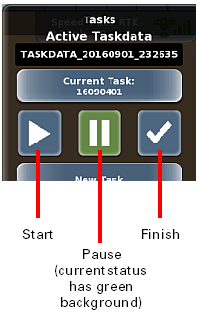
Consider the following when using these buttons:
• You can pause only a started task.
• You can restart a paused task.
• You cannot restart a finished task.
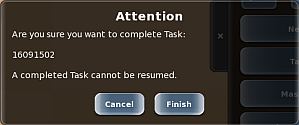
• When you press the Finish button to complete a task, MAX displays a message asking if you are sure you want to complete the task (because you cannot restart a finished task). Press Yes to finish the task.
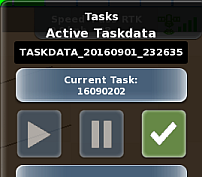
• If a status is unavailable, the button is disabled. For example, because you cannot restart (and subsequently pause) a finished task, the Start and Pause buttons are disabled (see below) when a finished task is the current task.
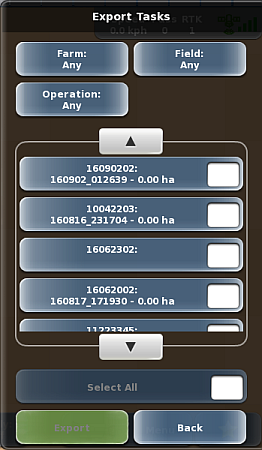
• You can export only finished tasks. When you display the Export Tasks panel, only finished tasks appear in the list. For example, the finished task noted above (16090202) appears in the Export Tasks panel list below.